
Top 4 Sillanumsoft.org Music Mixing Alternatives 2026
Relying on a single music mix analysis tool often limits feedback to either technical waveforms, generic frequency plots, or one-step automated corrections that miss genre nuance and workflow needs. Free versions typically cap advanced features to oscilloscope basics while most automated tools sacrifice deep comparison modules or mix customization unless you pay for pro plans. This breakdown shows how the top four alternatives differ on analysis depth, automation, and pricing so you can choose the right mix analysis platform for your studio or production workflow.
Table of Contents
Mix Analyzer
At a Glance
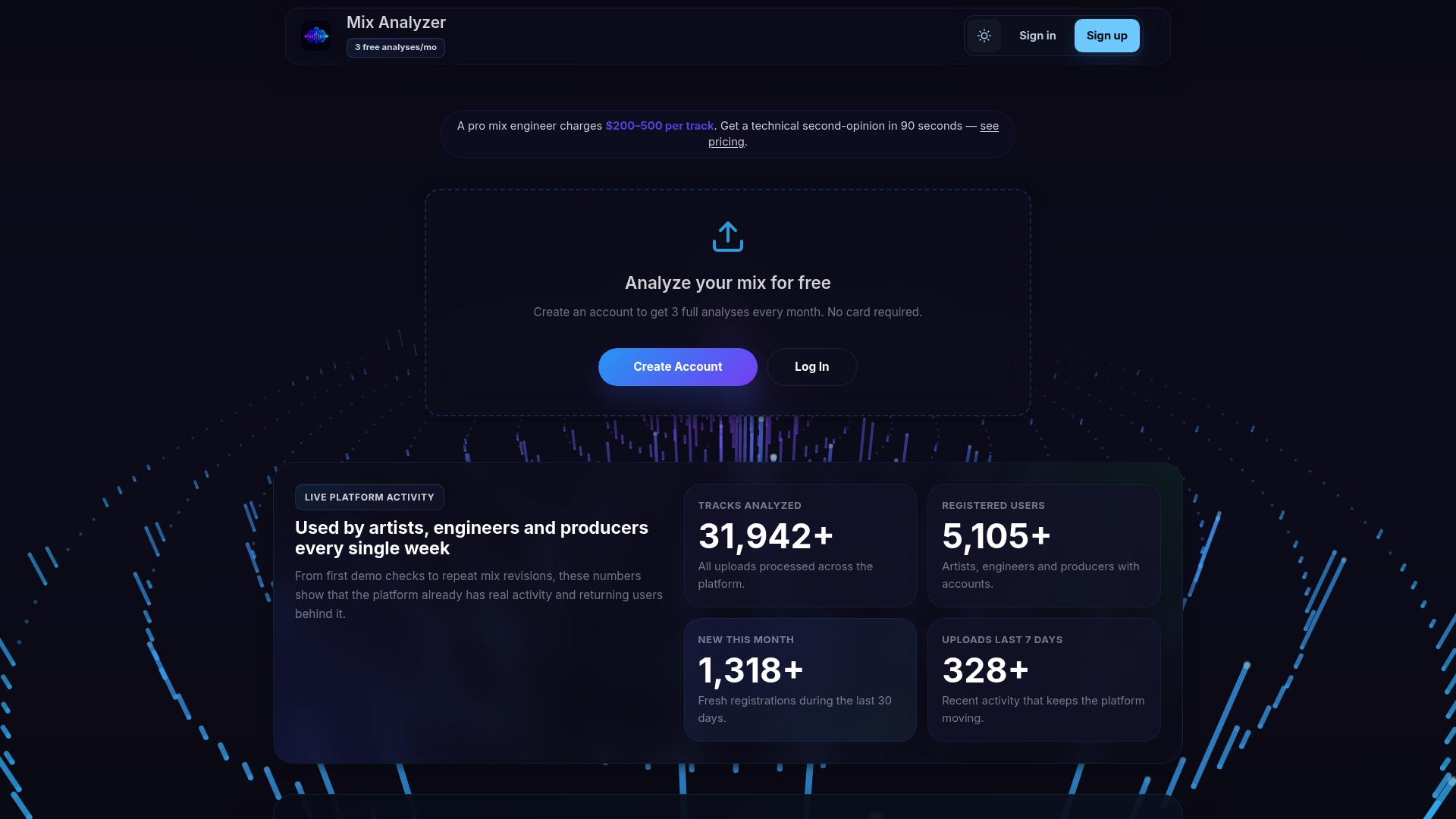
21 professional analysis modules examine frequency balance, dynamics, stereo field, clarity, transients, spatial audio, and more from a single file upload. Mix Analyzer’s marketing materials state a community of over thousands of users, and registered accounts get free monthly analyses alongside premium plans and API access.
Core Features
- 21 professional analysis modules covering frequency, dynamics, stereo image, clarity, transients, harmonic content, instruments, voice, genre, and mood.
- AI-generated mix recommendations that translate technical measurements into specific mixing adjustments tailored by genre and listening system.
- Comparison tools for side-by-side project and reference track analysis to match tonal balance and loudness.
- API access and token packs for automation and integration into production pipelines.
- Spatial and immersive audio analysis for 3D, surround, and binaural mixes, with additional capabilities planned.
Key Differentiator
The platform applies advanced AI models across many technical modules so you get deep, metric-driven feedback rather than a single pass/fail score. That multi-module approach surfaces problems at the frequency, dynamic, and spatial levels in one report instead of forcing you to stitch results from separate tools.
Pros
- Detailed technical breakdowns let you see exactly where a mix is heavy or thin in the spectrum rather than guessing from ear. That saves iteration time when tracking down masking issues.
- The comparison view lets you align loudness, spectral tilt, and stereo width to a reference quickly. Useful when matching commercial masters or an artist reference.
- Free monthly analyses for registered users provide a low-friction way to test the workflow before buying credits or a subscription. You can get routine checks without hitting the budget.
- API and token pack options make Mix Analyzer practical for studios and developers who want automated checks inside render pipelines or continuous integration for stems.
- Spatial analysis covers immersive formats that most generic analyzers ignore, which helps engineers working on 3D or surround deliver verifiable spatial metrics.
Cons
- Analysis quality depends on the AI models and the uploaded audio. Complex, heavily processed mixes can produce results that require interpretation rather than literal copy/paste fixes.
Who It’s For
Musicians, producers, and mixing engineers who want metric-led feedback without hiring a separate mix engineer for every revision. Also fits educators, students, and developers who need automated analysis in teaching or tooling workflows.
Unique Value Proposition
Free registered users receive a set number of analyses each month and the system returns detailed module reports in minutes. That speed plus low-cost entry changes how you iterate. Instead of waiting for external feedback, you can run quick checks between revisions and focus mastering sessions on fewer, better informed changes.
Real World Use Case
A music producer uploads a stereo mix and gets module reports for frequency balance, loudness, stereo image, and spatial content. They then load a reference track into the comparison view, spot a midrange buildup and 3 dB loudness gap, and correct the mix before sending to mastering.
Pricing
Free tier with 3 analyses/month for registered users. Supporter tier at $25/month unlocks additional features. Extra analyses are available via token packs and API credits for developers and studio pipelines.
Website: https://mixanalytic.com
Visual Analyser
At a Glance
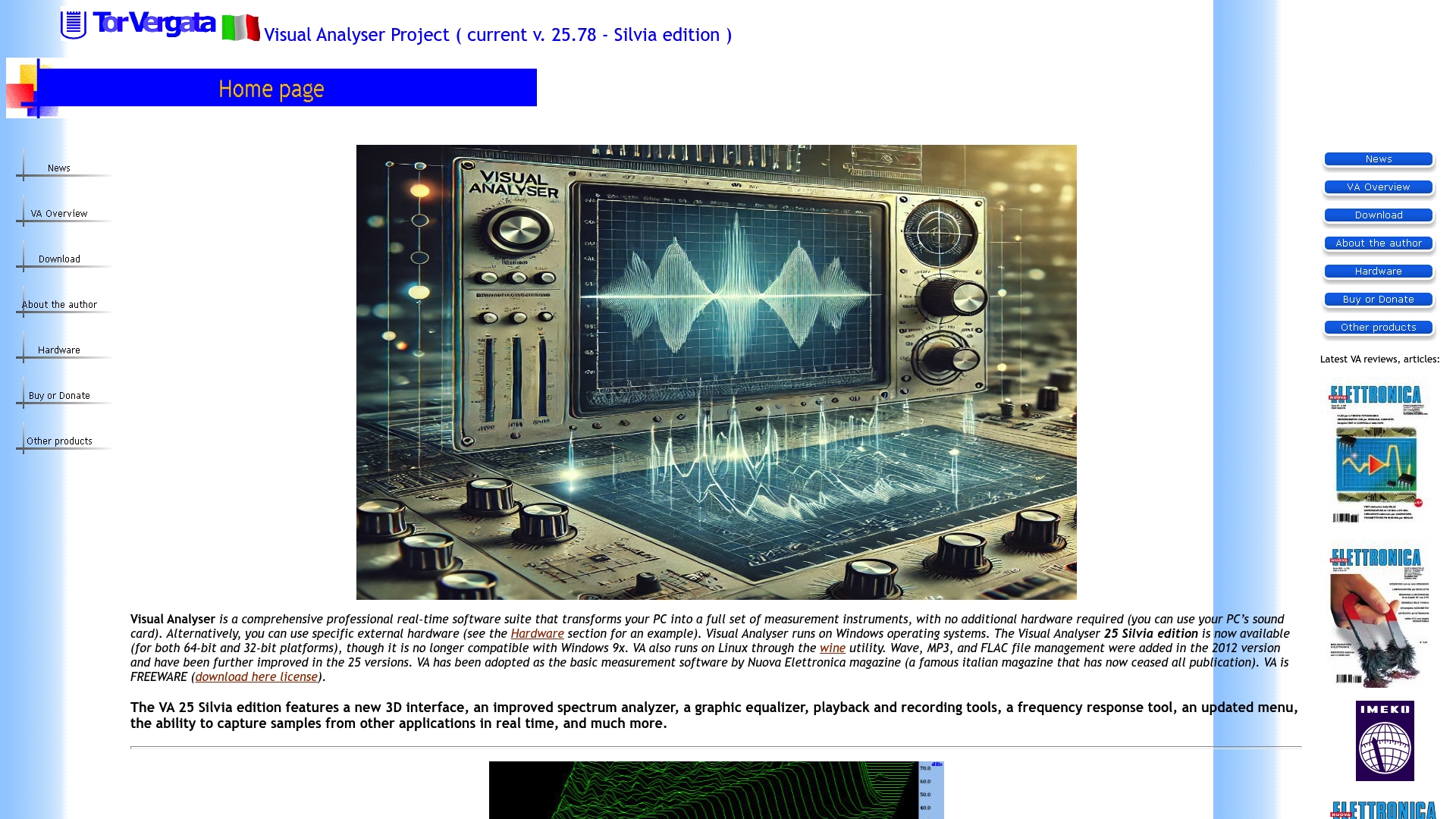
Transforms a PC into a full set of measurement instruments using only the machine’s sound card or an external audio interface. The suite is distributed free and runs on Windows and on Linux under Wine, making lab grade tests affordable for hobbyists.
Core Features
Includes a real time oscilloscope, a multi resolution spectrum analyzer, and a ZRLC impedance meter with a vector scope. Dual channel oscilloscope and multi channel analysis let you compare inputs and phase relationships in real time.
Waveform generator supports custom waveforms and modulation, plus frequency meter, cepstrum analysis and cross correlation functions. FIR and IIR filters, THD measurement, automatic sweep and memo windows round out signal diagnosis and logging.
Key Differentiator
The standout point is a complete instrument suite that runs from your PC and does not require buying separate bench gear for many tasks. That model keeps entry cost near zero while still offering impedance sweeps, vector scope readouts and octave band analysis.
Pros
- Wide instrument set in one package lets you run oscilloscope, spectrum and impedance tests without swapping tools.
- Freeware lowers the barrier for students and hobbyists, so budget constrained setups get serious measurement capability.
- real time D/A conversion and multi channel analysis enable precise waveform inspection at audio and higher frequencies.
- Support for 8, 16, and 24 bit sound cards and sampling rates limited by hardware makes higher resolution tests possible on commodity interfaces.
- impedance measurement with automatic sweep and vector display adds diagnostic capability often missing from free tools.
Cons
- You must route signals into the PC line in or use an external interface, so a physical wiring step is unavoidable for many measurements.
- The feature set is deep, which means beginners face a steep learning curve before they can trust results.
- Official documentation is limited. You frequently rely on forums and user supplied help files for advanced workflows.
- The project lives mainly in niche audio and electronics circles, so mainstream reviews and formal support channels are sparse.
When It May Not Fit
If you need a turnkey bench meter that works without wiring into a computer, this is not a good match. If your workflow requires guaranteed vendor support, formal documentation, or certified calibration traces, choose commercial hardware or a paid measurement suite. Native Linux users may prefer a tool with a native build rather than Wine.
Who It’s For
Electronics hobbyists, audio engineers, students and researchers who can handle basic wiring and tolerate a learning curve. If you want lab level measurements on a tight budget and you have a sound card or audio interface, Visual Analyser supplies a capable virtual bench.
Real World Use Case
A hobbyist debugging an amplifier traces a clipping event with the oscilloscope, runs a THD sweep to quantify distortion, and measures speaker impedance across frequency with the ZRLC tool. Results are logged in memo windows and compared across channels before the final repair.
Website: https://sillanumsoft.org
OSMIX
At a Glance
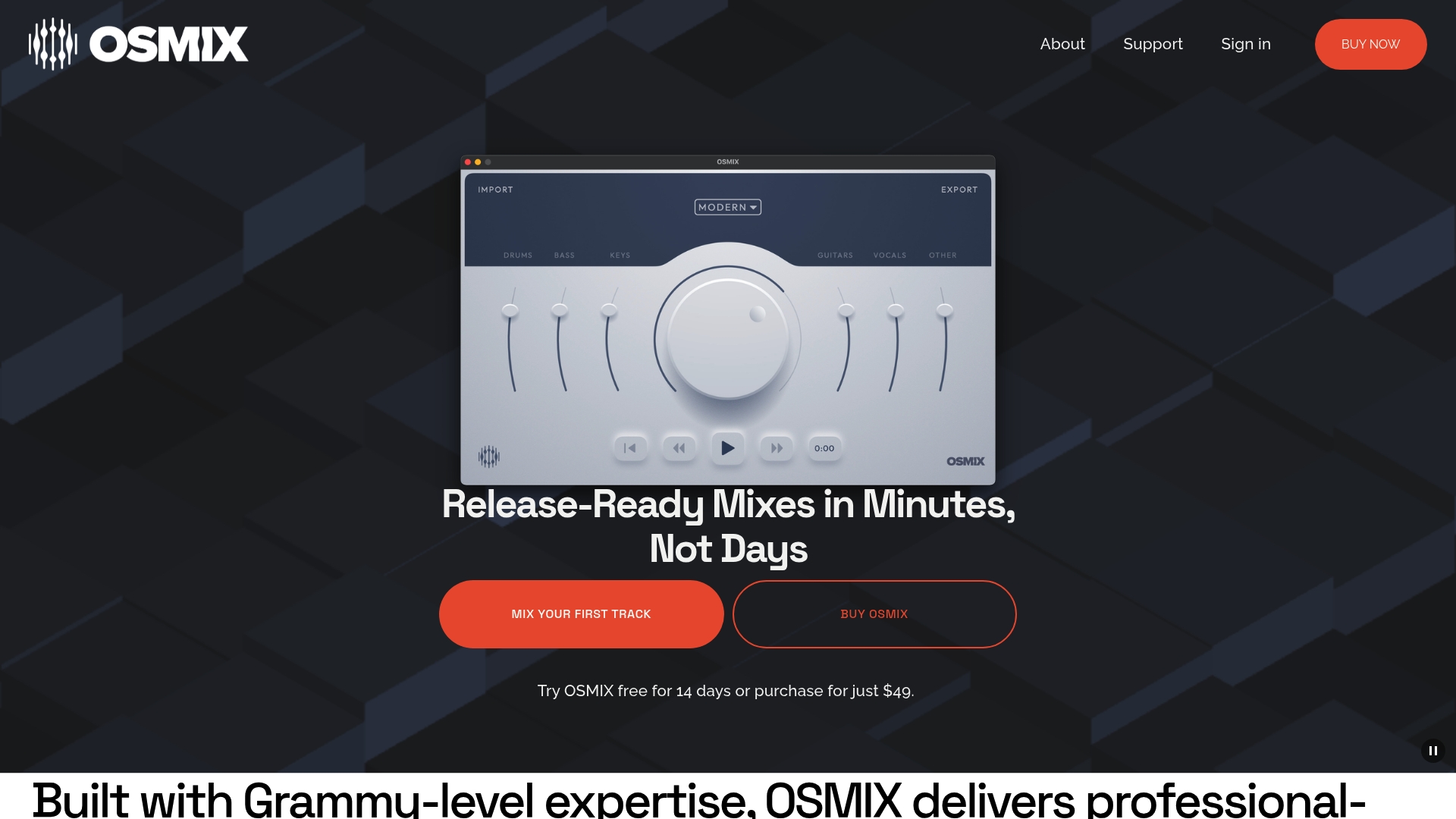
The vendor advertises producing polished, release-ready mixes in minutes. OSMIX also touts that it was built by Grammy-recognized experts including a Grammy-winning audio engineer and leans on neural models to automate the mixing decisions most people do manually.
Core Features
- Import your stems and tracks instantly for immediate processing and preview.
- Choose from multiple preset mix styles and then fine-tune levels and panning to taste.
- Neural audio processing engine analyzes and balances tracks relative to each other rather than treating channels in isolation.
- Quick export of stereo mixes intended to be release-ready after minor adjustments.
Key Differentiator
OSMIX’s main angle is its neural engine that mixes tracks automatically and balances elements in relation to the whole arrangement. That focus targets users who want the mix step automated rather than a tool that only visualizes problems. Compared with Mixanalytic, which centers on mix analysis and feedback, OSMIX actually attempts the mix for you.
Pros
- Fast turnaround that saves session hours for routine mixdowns; the timing claim above makes it appealing for high-volume workflows.
- An approachable interface that lowers the barrier for DIY musicians who lack deep console experience.
- Preset styles let you audition different aesthetic directions quickly without building a signal chain from scratch.
- Proprietary processing reduces manual corrective moves on common issues like masking and level balance.
- Works as a fallback for professional engineers who need a quick reference mix or a rapid daily mixdown.
Cons
- There are no independent third-party reviews cited in the product data so external validation of results is limited.
- Customization is shallower than a full DAW mixing session; advanced automation cannot replace detailed plugin chains and manual automation.
- The system’s automated choices sometimes need significant manual correction to match a very specific artistic intent.
When It May Not Fit
If you require deep manual control over plugin chains, automation lanes, or complex bussing, OSMIX will feel restrictive. Also, the product depends on online availability for processing so users with unreliable internet or strict offline studio policies may not be able to use it effectively.
Who It’s For
Solo artists, DIY bands, and producers who need fast, polished mixes without building complex sessions are the primary audience. Professional engineers who want a rapid reference or a first-pass mix will also find it useful when speed matters more than extreme tweakability.
Real World Use Case
The vendor presents a scenario where a songwriter uses OSMIX to reach a final mix under 30 minutes on a straightforward arrangement. That example maps well to demos and single-track releases where the goal is a fast, serviceable master ready for distribution.
Pricing
Free trial for 14 days then a single purchase of $49 according to the vendor. The model favors one-off projects or small teams that want a low-cost, immediate mixing option without subscription commitments.
Website: https://osmixmusic.com
Soundlabs AI

At a Glance
MicDrop is a VST/AU plugin built for live vocal and instrument morphing inside a DAW, and it adds MIDI control to let you rewrite melody lines on the fly. The product suite also highlights ethical AI training and explicit user control over models.
Core Features
- Real-time voice and instrument transformation that runs as a VST or AU inside major DAWs.
- Wide library of studio-grade vocal and instrument models ready for layering and sound design.
- MIDI control for melody rewriting and expressive performance mapping.
- AI-driven vocal correction and creative sound design tools for rapid iteration.
- Compatibility with Logic Pro, Ableton, FL Studio, Pro Tools, and other common hosts.
Key Differentiator
MicDrop pairs live MIDI-driven pitch and timbre editing with an emphasis on user-controlled AI models, which shifts the workflow from static presets to performable instruments. That design makes it practical for producers who want to play transformations in real time rather than automate them by hand.
Pros
- Powerful transformation tools let you rescue a muddy vocal or convert a lead voice into a playable synth layer without bouncing stems.
- Smooth DAW integration minimizes routing hacks; the plugin behaves like any other VST or AU in a track chain.
- The model library gives immediate textural options so sound designers can audition dozens of character presets in minutes.
- Live MIDI mapping unlocks performance-based workflows for producers who prefer playing changes rather than editing envelopes.
- The vendor stresses ethical AI training and user ownership, which matters if model provenance is a concern in your releases.
Cons
- There are few independent third-party reviews available, so external buyer experiences are not well documented.
- Product pages and some content on the site appear blocked or inaccessible in places, which makes feature verification slower.
- Limited published user testimonials and case studies mean you may need to test the plugin extensively before committing.
When It May Not Fit
If your studio runs older hardware or a niche DAW, MicDrop’s reliance on host compatibility and system specs could cause performance or installation issues. Also, if you require extensive third-party validation before licensing software, the scarce external reviews will lengthen your evaluation process.
Who It’s For
Music producers, sound designers, and solo artists who want playable vocal processing within their DAW and who value hands-on MIDI performance control. Best for creators who actively experiment with hybrid vocal textures and need quick fixes plus creative transformations.
Real World Use Case
A producer loads MicDrop on a damaged vocal take, corrects formant and pitch in real time, then maps MIDI to create harmonized intervals that double as an instrument layer. The result: a polished lead and a playable pad derived from the same vocal source.
Pricing
Pricing varies by product. MicDrop Classic ($79) and MicDrop Suite ($149) are one-time purchases. The vendor also lists subscription options ($9.99/month, $14.99/month) and individual add-on packs at $19.99.
Website: https://soundlabs.ai
Comparative Analysis for Mix Analysis Software
When choosing mix analysis software, it’s crucial to evaluate the needs of your workflows and identify the strengths each product brings to the table. Here, we compare “Mix Analyzer,” “Visual Analyser,” “OSMIX,” and “Soundlabs AI” based on their key features, practical usage scenarios, and individual strengths and limitations, aiming to assist you in making an informed decision.
Real-time Versatility and Accessibility
“Mix Analyzer” excels in providing detailed, metric-based feedback across multiple aspects of audio production, such as frequency balance and dynamic contrast. Its capability for side-by-side reference evaluations introduces precise benchmarking for producing professional audio results. However, “Visual Analyser” demonstrates superior functionality for those needing intricate real-time instrument analysis capabilities, such as oscilloscope and impedance measurements, albeit at the expense of usability for beginners owing to steep learning requirements.
Automated Features versus Manual Control
“OSMIX” provides a unique approach by automating the mixing process. Its neural engine allows users to quickly generate a mix and make minor adjustments through its preset templates. This is particularly useful for content creators with limited mixing expertise or those seeking immediate results. In contrast, “Mix Analyzer” offers a more traditional approach by assisting users in analyzing and improving their mixes based on detailed insights, catering to audio professionals who prefer hands-on refinement.
Best Fit Breakdown
-
Select Mix Analyzer if you require advanced diagnostic tools for frequency, spatial, and dynamic analysis, particularly for mastering intricate audio projects or workflows involving immersive audio formats.
-
Choose Visual Analyser if you require a virtual bench-grade instrument suite for diagnostics and signal processing, suitable for hobbyists or technical users comfortable with in-depth setup and analysis.
-
Opt for OSMIX if your priority is obtaining polished mixes quickly and efficiently, ideal for independent artists and producers working on fast-paced projects or straightforward track arrangements.
-
Consider Soundlabs AI if your work involves live audio manipulation and you’re looking for a plugin that integrates with your DAW to enhance vocal or instrumental creativity during performance or post-production.
Our Pick: Mix Analyzer
“Mix Analyzer” stands out for its professional-grade, multi-dimensional analysis tools that directly assist users in achieving high-quality audio results efficiently. Its AI-assisted features for pinpointing and solving mix issues reinforce its value for those seeking precise enhancements while maintaining control over the creative process. However, users requiring a tool for real-time adjustments during live setups may find other alternatives, such as “Soundlabs AI,” more suited to their specific needs.
Music Mix Analysis Software Comparison
Making an informed choice among music mix analysis tools requires understanding their unique features, pricing, and limitations to find the perfect match for your needs.
| Product | Core Feature | Key Differentiator | Best For | Pricing | Notable Limitation |
|---|---|---|---|---|---|
| Mixanalytic | 21 modules for frequency and stereo analysis | AI-driven feedback translating technical data directly | Engineers seeking metric-driven insights | Free basic tier, $25/month premium | Requires careful interpretation of complex results |
| Visual Analyser | Suite with oscilloscope, spectrum analyzer, and more | Low-cost instrument suite fulfilling lab-grade needs | Electronics hobbyists needing affordable tools | Free | Steep learning curve for beginners |
| OSMIX | Neural processing for automated mixing | Quick, automated balanced mix creation | Artists preferring automated mixing processes | Free trial, $49 one-time purchase | Limited customization for advanced mix needs |
| Soundlabs AI | Real-time voice/instrument transformation plugin | MIDI control for dynamic performance mapping | Producers focusing on live sound manipulation | $79 individual, subscriptions available | Limited third-party reviews and documentation |
Discover a Smarter Alternative to Sillanumsoft.org for Music Mixing Analysis
If you have explored sillanumsoft.org alternatives searching for clearer, more actionable feedback on your mixes, Mixanalytic might be the solution for you. This platform answers the challenge of complex technical measurement by offering 21 professional analysis modules to break down frequency, dynamics, and stereo image quickly. Instead of guessing where your mix may be masking important elements or lacking clarity, you get precise, AI-powered insights tailored to your music style.
!
Stop second-guessing your mix decisions and access detailed reports that help you refine your sound with confidence. Visit Mixanalytic to upload your tracks for free monthly analysis and experience how fast, deep feedback can make a difference in your production process.
Frequently Asked Questions
How does Mixanalytic help with frequency balance in mixes?
Mixanalytic provides a detailed technical breakdown of frequency balance, allowing users to see precisely where a mix may be heavy or thin within the spectrum. This feature significantly reduces the time spent on iterations when addressing masking issues, making it an efficient tool for mixing engineers. Users can benefit from comprehensive analyses that guide improvements before finalizing mixes.
What is the difference between Mixanalytic and Visual Analyser?
Visual Analyser offers a suite of measurement instruments for free, running directly from a PC without the need for separate bench equipment, which is great for hobbyists on a budget. In contrast, Mixanalytic focuses on detailed mix analysis with 21 professional modules that surface intricate issues in the mix quickly, making it suitable for those needing metric-driven feedback. Users looking for automated feedback on their mixes may prefer Mixanalytic’s advanced AI capabilities.
Can I use Mixanalytic for automated checks during mixing?
Yes, Mixanalytic offers API access and token packs that allow for automation and integration of analysis directly into production workflows. This feature is particularly beneficial for studios and developers wanting to create a continuous integration pipeline for audio production. It streamlines the process and ensures mixes maintain a high standard consistently.
Does Mixanalytic support spatial audio analysis?
Mixanalytic does support spatial and immersive audio analysis, which is an advantage for engineers working with 3D or surround formats. This support allows users to deliver verifiable spatial metrics, setting it apart from many generic analyzers that do not cater to these advanced formats. If you focus on immersive sound, this feature can add significant value to your mix evaluations.
How many free analyses can I get with Mixanalytic?
Registered users of Mixanalytic can receive three free analyses per month, allowing them to test the platform without financial commitment. This low-friction access enables users to run routine checks on their mixes and easily assess the effectiveness of the service before considering a paid plan. This approach is particularly useful for individuals who wish to optimize their mixing skills over time.
Recommended
- Free Mix Analyzer - 17 AI Audio Analysis Modules (Frequency, Dynamics, Stereo, Genre, Mood)
- Mix Analyzer Blog - Mixing, Mastering Prep and AI Audio Analysis
- True Peak, LUFS & Streaming Targets - 4 New Mastering Modules - Mix Analyzer Blog
- Pricing - Mix Analyzer | Free 3 analyses/mo, Token Packs from $5, Supporter $25/mo