
Budget-Friendly Mixing Resources for Independent Musicians
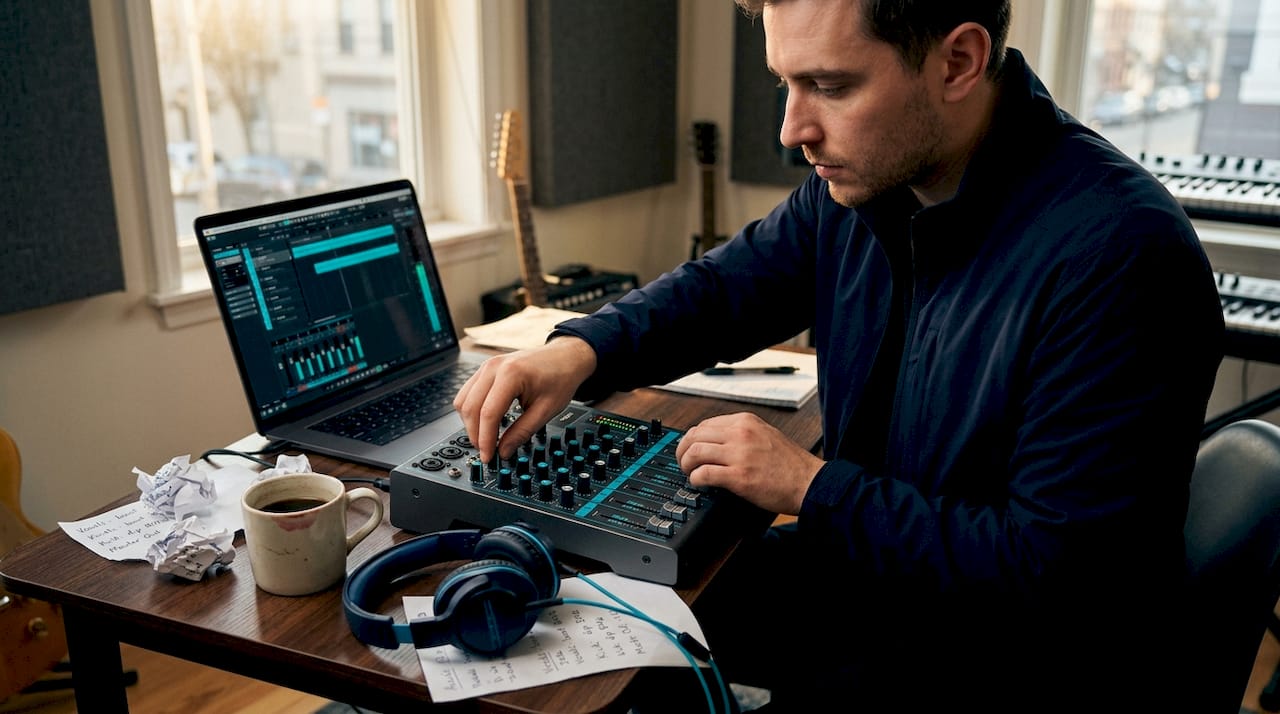
Budget-friendly mixing resources are affordable digital and physical tools that deliver professional-quality mixing results without requiring large financial investment. Free plugins like TDR Nova and FreeEQ8, virtual consoles like Voicemeeter Banana, and browser-based tools like EverythingIsRemixed prove that high-quality mixes are achievable on a tight budget. Independent musicians no longer need to spend thousands on hardware or software to compete with studio-produced tracks. The right combination of free and low-cost tools, paired with repeatable workflows, closes the gap between bedroom productions and professional releases.
1. Top free plugins for EQ and dynamics control
Free and open-source mixing plugins are the foundation of any budget mixing setup. Two tools stand out above the rest: TDR Nova and FreeEQ8.
TDR Nova is a free dynamic equalizer that functions as a standard EQ, a selective compressor, and a multiband compressor within a single plugin. Each band has its own dynamics section, meaning you can set a frequency range to compress only when signal exceeds a threshold. This is the key advantage over static EQ: problem frequencies get treated only when they appear, so the rest of the mix stays natural and open.
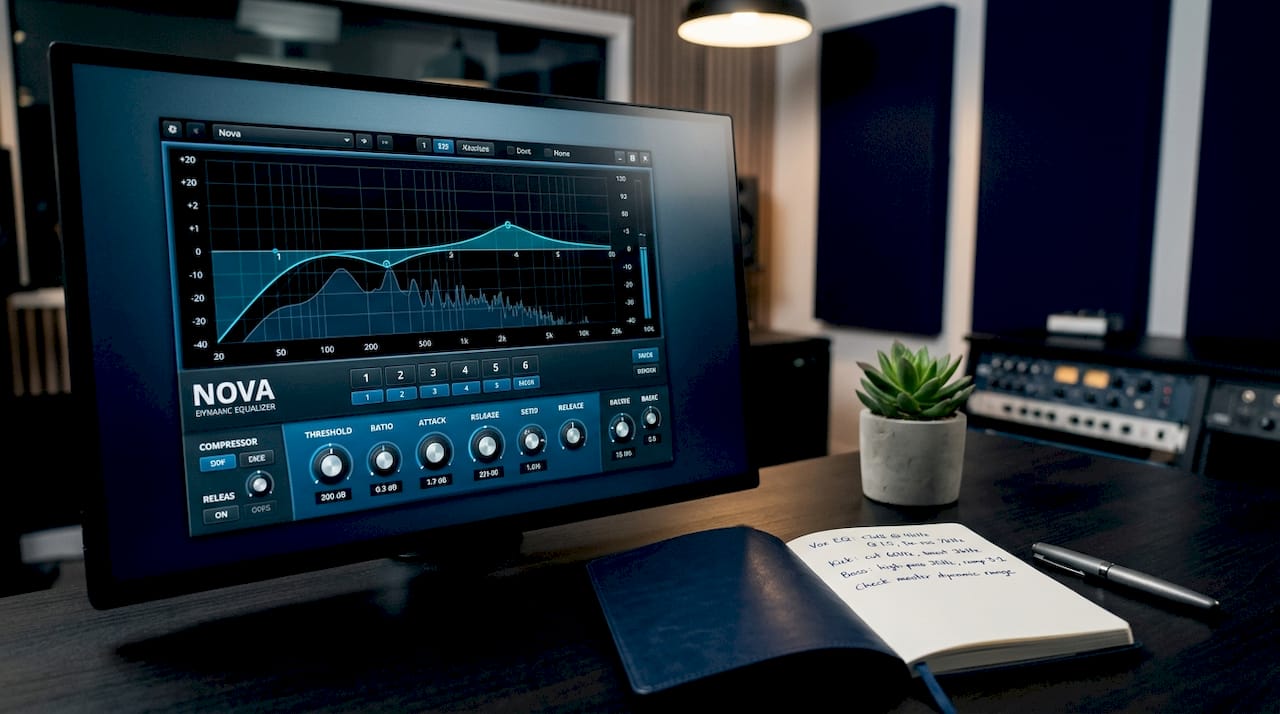
FreeEQ8 takes a different approach by packing eight EQ bands with linear phase, match EQ, dynamic EQ, and M/S processing into one free, open-source plugin with no demo limitations. Match EQ alone would cost you money in most paid alternatives. The spectrum analyzer built into FreeEQ8 gives you a real-time visual reference while you work, which is critical when you are learning to mix by ear.
Here is what makes these two plugins particularly strong for low-cost audio mixing:
- TDR Nova handles sibilance control, low-mid buildup, and resonance taming without static cuts that dull the mix
- FreeEQ8’s match EQ provides a measurement-based starting point for tonal correction, though you should always adjust by ear afterward
- Both plugins run on Windows and Mac, covering the majority of home studio setups
- Neither plugin has time limits, watermarks, or feature locks
The practical workflow is straightforward. Use FreeEQ8 for broad tonal shaping and corrective cuts on individual tracks. Then use TDR Nova on buses or problem sources where frequencies shift dynamically, like vocals or acoustic guitars.
Pro Tip: Start with broad corrective cuts in TDR Nova’s dynamic EQ mode rather than static notches. Let the threshold and ratio do the work so the band only engages when the problem frequency actually appears. This preserves the natural character of the source while still controlling the issue.
2. Virtual audio mixers and browser-based tools
Virtual and browser-based mixers give you routing flexibility and stem-level control without spending a dollar on hardware. Two tools define this category for budget-conscious musicians.
Voicemeeter Banana is a free Windows application that functions as a virtual mixing console. It supports three physical inputs and two virtual I/O channels, which means you can route audio from your DAW, microphone, and system sounds simultaneously into one controlled environment. The donationware model means you pay only if you find it valuable. For home studio setups where routing flexibility matters, Voicemeeter Banana replaces the need for a physical hardware mixer in many scenarios.
EverythingIsRemixed is a zero-install, browser-based stem mixer that runs offline once loaded. It offers volume, pan, mute, solo, 3-band EQ, reverb, and delay per stem, making it a practical tool for quick stem-level mixing sessions without opening a full DAW. You can check the open-source audio tools list from Vector DSP for more tools in this category.
Key advantages of virtual and browser-based mixing:
- Zero hardware cost for routing multiple audio sources
- Cross-platform access for browser-based tools
- Stem-level control lets you apply effects independently per track
- Offline capability in EverythingIsRemixed means no internet dependency mid-session
One critical pitfall in Voicemeeter Banana is signal duplication. Routing the same source through multiple channels creates phase issues that are difficult to diagnose after the fact. Monitor your return channels carefully and keep signal paths clean and direct.
Pro Tip: Pre-balance your stems before applying any EQ or effects in EverythingIsRemixed. Level mismatches compound quickly once you add EQ and reverb, and fixing them after the effects chain is in place takes far more time than getting the balance right at the start.
3. Affordable plugin bundles and cost-saving strategies
Plugin bundles are the most cost-efficient way to expand your mixing toolkit beyond free tools. Instead of buying individual plugins at full price, bundles package multiple processors together at a significant discount per plugin.
The math matters here. A bundle like T-RackS MAX offers 61 processors for $299.99 with rent-to-own options, which works out to roughly $5 per processor. Buying those same tools individually would cost several times that amount. LANDR’s bundle roundup documents similar value ratios across multiple publishers, showing that bundles consistently deliver the lowest per-plugin cost in the market.
Rent-to-own and pay-later options from publishers like IK Multimedia and Plugin Alliance make bundles accessible without a large upfront payment. You get immediate access to the full bundle and pay over time, which suits independent musicians managing tight monthly budgets.
| Bundle type | Typical cost | Per-plugin value | Best for |
|---|---|---|---|
| Entry-level bundle (5-10 plugins) | $29 to $79 | Moderate | Beginners filling gaps |
| Mid-tier bundle (15-30 plugins) | $99 to $199 | Good | Home studio producers |
| Full suite (50+ plugins) | $199 to $399 | Excellent | Serious independent artists |
| Rent-to-own suite | $10 to $20/month | Excellent over time | Budget-limited musicians |
Before purchasing any bundle, evaluate the discount math by checking the individual retail price of each plugin included. If you would realistically use fewer than half the plugins in a bundle, the per-plugin value drops significantly. Focus on bundles where the core tools match your actual workflow needs.
4. Compact analog mixers as hands-on budget options
Compact analog mixers occupy a specific and valuable role in budget mixing setups. They provide tactile, hands-on control that software cannot fully replicate, and modern models add USB and Bluetooth connectivity that makes them immediately useful in a home studio.
The USB and Bluetooth connectivity on current compact mixers means you can record directly to your computer without an additional audio interface. This consolidates two purchases into one, which is a genuine cost advantage. Models in the $80 to $200 range from brands like Yamaha, Mackie, and Behringer cover the needs of most home studio setups.
Key buying considerations for compact analog mixers:
- Channel count: four to eight channels covers most home recording scenarios
- USB connectivity: direct recording to DAW without a separate interface
- Built-in EQ: three-band channel EQ adds mixing flexibility without extra plugins
- Phantom power: required if you use condenser microphones
The analog character of a hardware mixer adds a subtle warmth that some producers specifically seek. Running audio through analog circuitry before it enters your DAW is a legitimate creative choice, not just a budget compromise.
Pro Tip: Use your compact analog mixer as a summing device for stems. Route individual tracks from your DAW into the mixer’s channels, apply the hardware EQ and fader positions, then record the stereo output back into your DAW. This hybrid approach gives you analog character while keeping your digital workflow intact.
5. How to choose the right tools for your music style
Selecting the best budget mixing software and hardware depends on your specific production style, not on owning the most tools. A consistent, small set of well-understood tools produces better results than a large collection used inconsistently.
| Tool | Platform | Cost | Best for |
|---|---|---|---|
| TDR Nova | Windows, Mac | Free | Dynamic EQ on vocals, buses |
| FreeEQ8 | Windows, Mac | Free | Corrective EQ, tonal matching |
| Voicemeeter Banana | Windows | Free (donationware) | Flexible routing, virtual mixing |
| EverythingIsRemixed | Browser | Free | Stem mixing, quick sessions |
| Compact analog mixer | Hardware | $80 to $200 | Tactile control, hybrid workflows |
| Plugin bundle | Windows, Mac | $29 to $399 | Expanding toolkit cost-efficiently |
Electronic and beat-based productions benefit most from precise dynamic EQ tools like TDR Nova, where controlling low-mid buildup in bass and kick interactions is critical. Acoustic and singer-songwriter productions benefit more from the linear phase EQ in FreeEQ8, which avoids phase smearing on delicate transients. If you mix stems from collaborators, EverythingIsRemixed gives you immediate control without needing to open a full DAW session.
Workflow compatibility matters as much as features. A plugin that requires a steep learning curve will slow your output even if it is technically superior. TDR Nova and FreeEQ8 both have active user communities and detailed documentation, which shortens the learning curve considerably. For deeper reading on low-end mix problems, Mixanalytic’s blog covers practical techniques that apply directly to budget tool workflows.
The benefits of audio plugins extend beyond processing quality. Plugins give you recall, automation, and precision that hardware cannot match at the same price point. For most independent musicians, a hybrid approach combining free plugins with one compact hardware mixer covers every mixing scenario without overspending.
Key takeaways
Mastering a small set of free tools like TDR Nova and FreeEQ8 produces better mixes than owning dozens of plugins used without discipline.
| Point | Details |
|---|---|
| Free plugins cover the essentials | TDR Nova and FreeEQ8 handle dynamic EQ, corrective EQ, and M/S processing at zero cost. |
| Virtual mixers replace hardware | Voicemeeter Banana provides routing flexibility that removes the need for expensive physical consoles. |
| Bundle math determines real value | Calculate per-plugin cost before buying; only purchase bundles where you will use the majority of tools. |
| Analog mixers add hybrid value | Compact mixers with USB connectivity consolidate interface and mixer costs into one affordable purchase. |
| Workflow consistency beats tool quantity | A repeatable process with a few trusted tools outperforms a large, inconsistently used plugin collection. |
Why I stopped chasing plugins and started mixing better
I spent two years accumulating plugins before I realized the collection itself was the problem. Every new tool came with a learning curve, and I was spreading my attention across twenty processors instead of mastering five. The turning point was committing to TDR Nova and FreeEQ8 as my primary mixing tools for three months straight. My mixes improved faster in those three months than in the previous two years combined.
Virtual mixers changed how I think about routing. Voicemeeter Banana taught me signal flow in a way that no tutorial had. When you are forced to trace a routing problem through a virtual console, you understand gain staging at a level that clicking through a DAW never requires. That knowledge transferred directly to better decisions inside my DAW.
The honest truth about cheap mixing resources is that the tools are rarely the limiting factor. Free plugins like TDR Nova are genuinely professional-grade. The limiting factor is almost always the ear and the workflow. Budget constraints, counterintuitively, sharpen both. When you cannot buy your way out of a mix problem, you learn to solve it.
My advice: pick two or three tools from this list, use them exclusively for sixty days, and track your progress with objective feedback. You can catch mix problems early using AI analysis tools before they become mastering issues. The discipline of working within constraints is not a limitation. It is the fastest path to developing a real mixing ear.
— Uygar
Get objective feedback on every mix with Mixanalytic
Free tools get you far, but knowing whether your mix is actually working requires objective analysis beyond what your ears alone provide.
Mixanalytic’s free mix analyzer runs 17 AI-powered analysis modules covering frequency balance, dynamic range, stereo field, genre fit, and mood. You upload your track and receive specific, data-driven feedback in minutes. No audio engineering degree required. The free analysis tier gives you three analyses per month at no cost, making it a natural complement to the budget-friendly mixing resources covered in this article. When you are ready to go deeper, flexible pricing options start at $5 for token packs. Thousands of independent musicians already use Mixanalytic to close the gap between their mixes and professional releases.
FAQ
What are the best free mixing plugins for beginners?
TDR Nova and FreeEQ8 are the strongest free options for beginners. TDR Nova handles dynamic EQ and selective compression, while FreeEQ8 covers linear phase EQ, match EQ, and M/S processing in a single plugin with no feature restrictions.
Is Voicemeeter Banana good for home studio mixing?
Voicemeeter Banana is a strong choice for home studio routing. It supports three physical inputs and two virtual I/O channels, replacing the need for a hardware mixer in many setups, and it operates on a free donationware model.
How do plugin bundles save money compared to single plugins?
Plugin bundles reduce the per-plugin cost significantly. A bundle like T-RackS MAX delivers 61 processors at a fraction of individual retail prices, and rent-to-own options spread the cost over time for budget-limited musicians.
Can I mix professionally using only free tools?
Free tools like TDR Nova, FreeEQ8, and EverythingIsRemixed cover the core tasks of professional mixing. Consistent workflow and trained ears matter more than paid software at the independent musician level.
What should I prioritize when buying a budget analog mixer?
Prioritize USB connectivity, phantom power for condenser microphones, and at least four channels. These three features cover the majority of home studio recording and mixing scenarios without requiring additional equipment purchases.
Recommended
- Pricing - Mix Analyzer | Free 3 analyses/mo, Token Packs from $5, Supporter $25/mo
- Mix Analyzer Blog - Mixing, Mastering Prep and AI Audio Analysis
- Free Mix Analyzer - 17 AI Audio Analysis Modules (Frequency, Dynamics, Stereo, Genre, Mood)
- 5 Mix Problems AI Analysis Can Catch Before Mastering - Mix Analyzer Blog